Translate Your Intercom Articles in Minutes
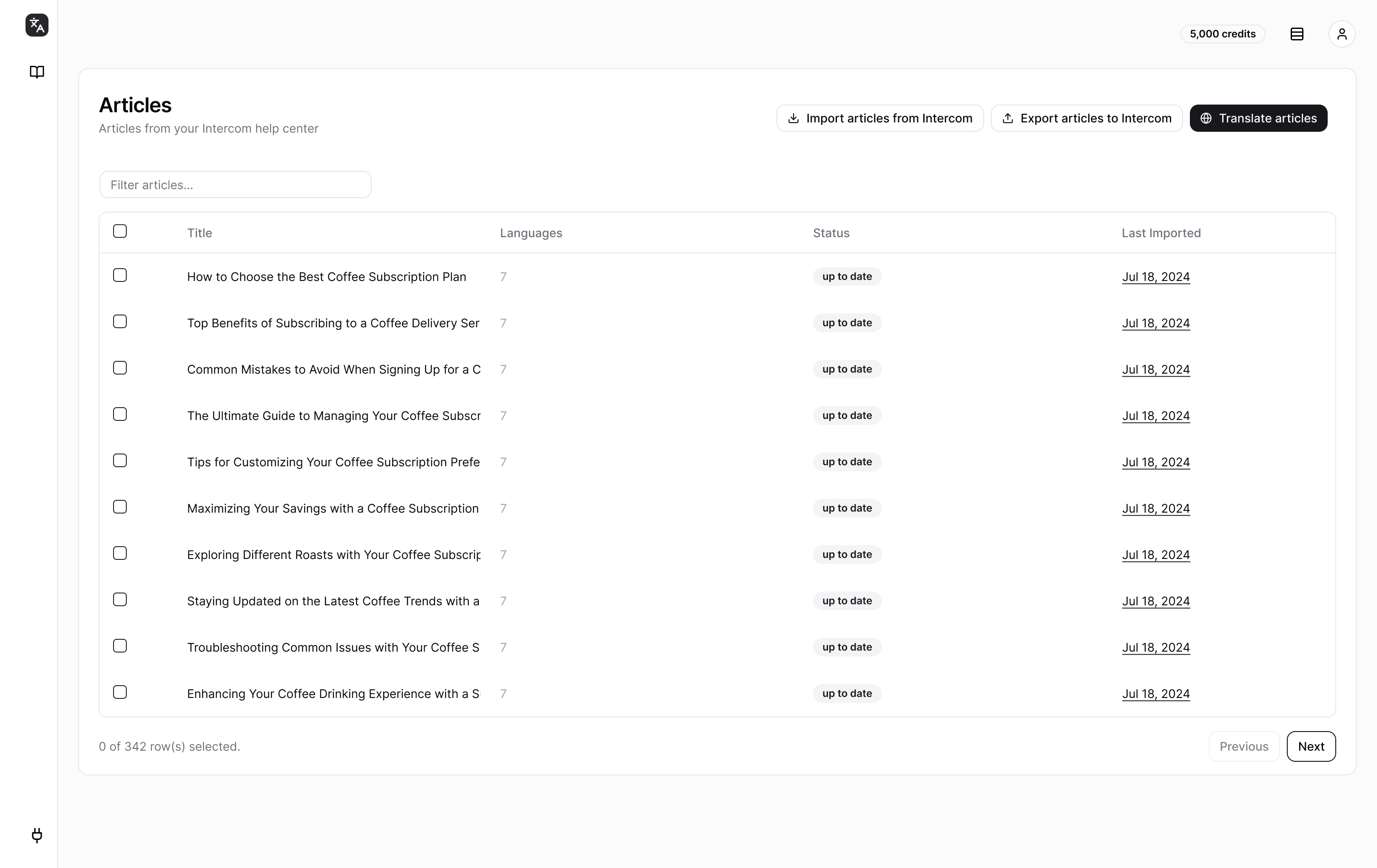
Stop spending weeks on manual translation. TranslateDesk translates your entire Intercom help center in minutes. Translations stay inside Intercom where they belong. No export/import dance. No broken workflows.
No credit card required. Start translating immediately.
Manual Translation vs TranslateDesk
See what changes when you stop doing it the hard way.
| Without TranslateDesk | With TranslateDesk | |
|---|---|---|
| Translation method | Copy-paste into Google Translate | One-click AI-powered translation |
| Cost per article | $20-50 for freelancer, days of waiting | Cents per article, ready in seconds |
| Formatting | Images, links, and code blocks break | Formatting preserved automatically |
| Updates | Scramble to find and update old translations | One-click re-sync when source changes |
| Time to translate 100 articles | Weeks of manual work | 10 minutes |
How It Works
From zero to translated help center in four simple steps.
Connect Your Intercom Account
Two clicks to authorize. No code, no IT involvement, no waiting.
Select Articles to Translate
Pick individual articles or entire collections. Translate 10 or 1,000 with the same effort.
Choose Your Languages
100+ languages supported. From Spanish to Japanese to Arabic. Translate to one language or twenty at once.
Review and Publish
Review translations before they go live. Edit anything that needs adjustment. Publish when ready.
Built for Intercom
Everything works right out of the box. No more managing messy translation files or broken formatting.

Comfortable at any scale
Whether it's 10 or 10,000 articles, translate your entire help center without breaking a sweat.
Why Teams Choose TranslateDesk
Built for Intercom
Not a generic translation tool bolted onto your workflow. TranslateDesk is designed specifically for Intercom help centers. Connect once, translate forever.
Lives Inside Your Workflow
Translations stay in Intercom. No exporting to translation platforms, no re-importing, no broken links. Your team keeps working where they already work.
DeepL-Powered Quality
The same translation engine used by 100,000+ businesses. Natural-sounding translations that don't read like a machine wrote them.
Formatting Preserved
Images, links, code blocks, videos. Everything stays intact. No manual cleanup after translation.
One-Click Sync
Updated an article? One click to re-translate. TranslateDesk tracks changes so you never wonder what's out of date.
Your Translation History
Every translation tracked. Every update logged. Switch tools and you lose visibility into what was translated when and by whom.
TranslateDesk vs. The Alternatives
See how we compare to enterprise localization platforms and manual translation.
| Feature | TranslateDesk | Lokalise | Crowdin | Manual |
|---|---|---|---|---|
| Setup time | 2 minutes | 30+ minutes | 20+ minutes | N/A |
| Monthly cost | From $29/mo | From $120/mo | From $70/mo | $500+/mo |
| Learning curve | None | Steep | Moderate | Low |
| Intercom-native | ✓ Yes | Plugin required | Plugin required | ✗ No |
| Formatting preserved | ✓ Automatic | Manual work | Manual work | Manual work |
| Migration effort | Zero (stays in Intercom) | Export/import process | Export/import process | N/A |
TranslateDesk: You're a support team that needs to translate Intercom articles quickly and keep them updated.
Lokalise/Crowdin: You have a dedicated localization team translating code, apps, and marketing sites.
Manual translation: You have 5 articles and never update them.
What Teams Say
"We translated 200 articles to Spanish in an afternoon. Would have taken our team two months manually."
"Finally, our German customers can self-serve. Support tickets dropped 30% after we launched the translated help center."
"The sync feature is underrated. When we update articles, translations stay current automatically."
Frequently Asked Questions
Start Translating Today
Your customers are waiting. Every day without translated help articles is another day of frustrated customers and avoidable support tickets.
No credit card required. Translate your first articles free.